reMember

Digital flashcards the write way.

For Anki users who’d rather review on paper than on a glowing phone.

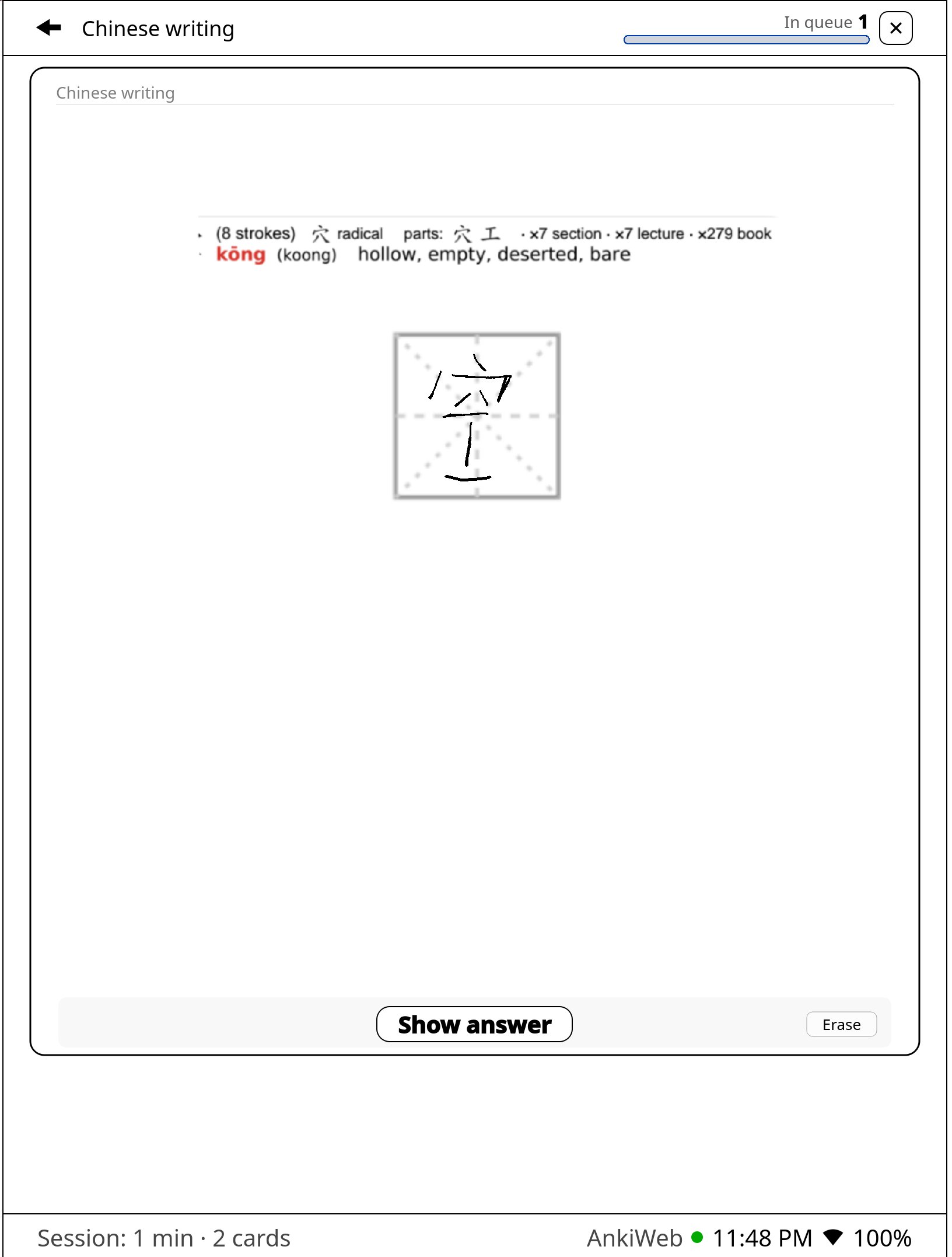
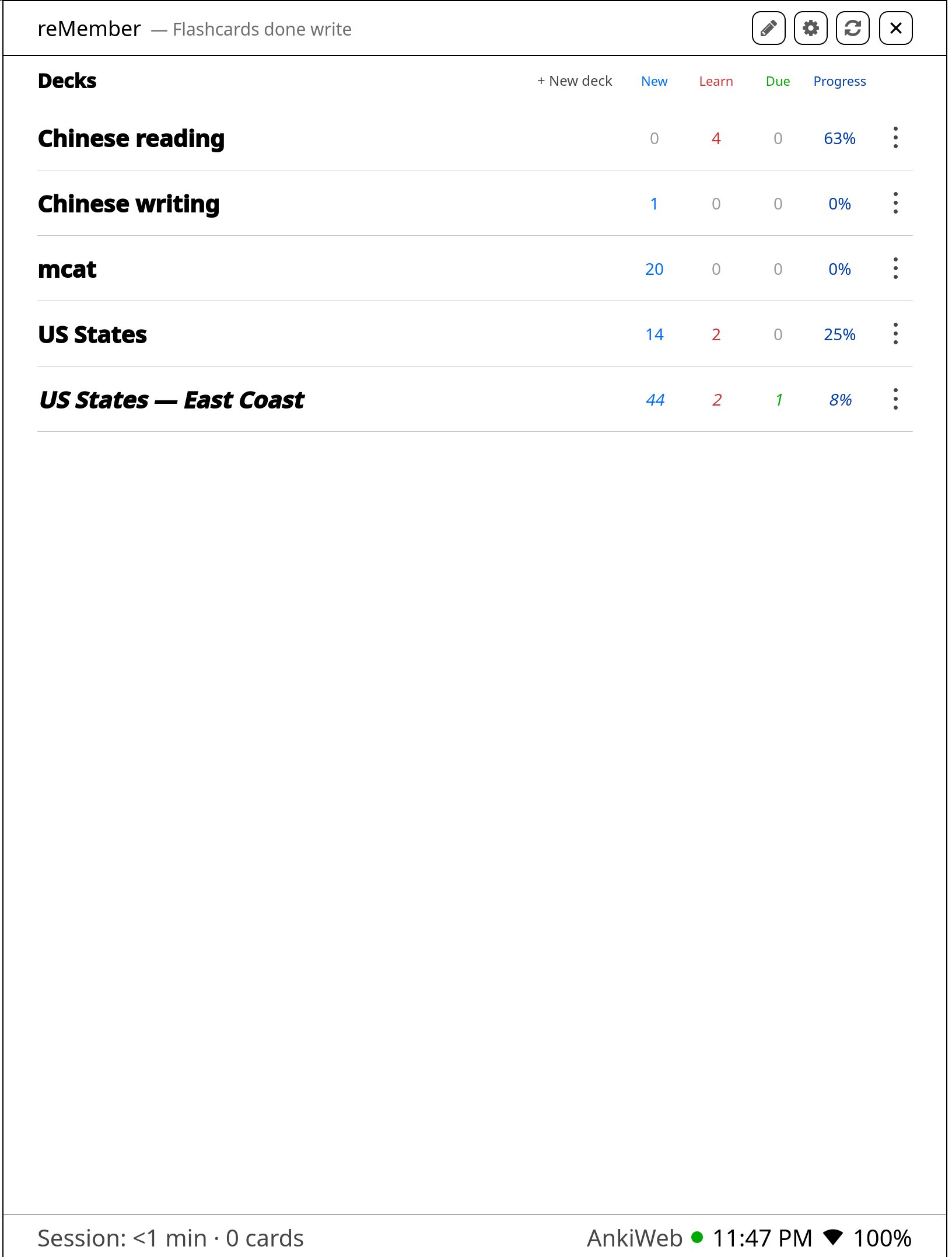
Bring the decks you already use to reMarkable Paper Pro. Write while you think. Keep the same schedule. Two-way sync updates Anki on your other devices.

Plus is planned for turning what you’re reading (PDFs, notes, textbooks) straight into cards. Free during beta.

Study like you do in Anki

Sign in once. Your decks show up on the tablet. Reviews you do here sync back through AnkiWeb, so the same spaced-repetition schedule stays in sync on your phone and computer. Languages, exams, or anything else you already review in Anki.

Create cards from any PDF or material

Build your own flashcards from notebooks, PDFs, EPUBs, or anything else on the tablet. Snip a passage or type the text, then save it to your deck. Plus

On firmware 3.28+ Uses the tablet’s native capture tool for Front and Back. Same selection flow you already know.
  1. 1

    Open what you’re reading

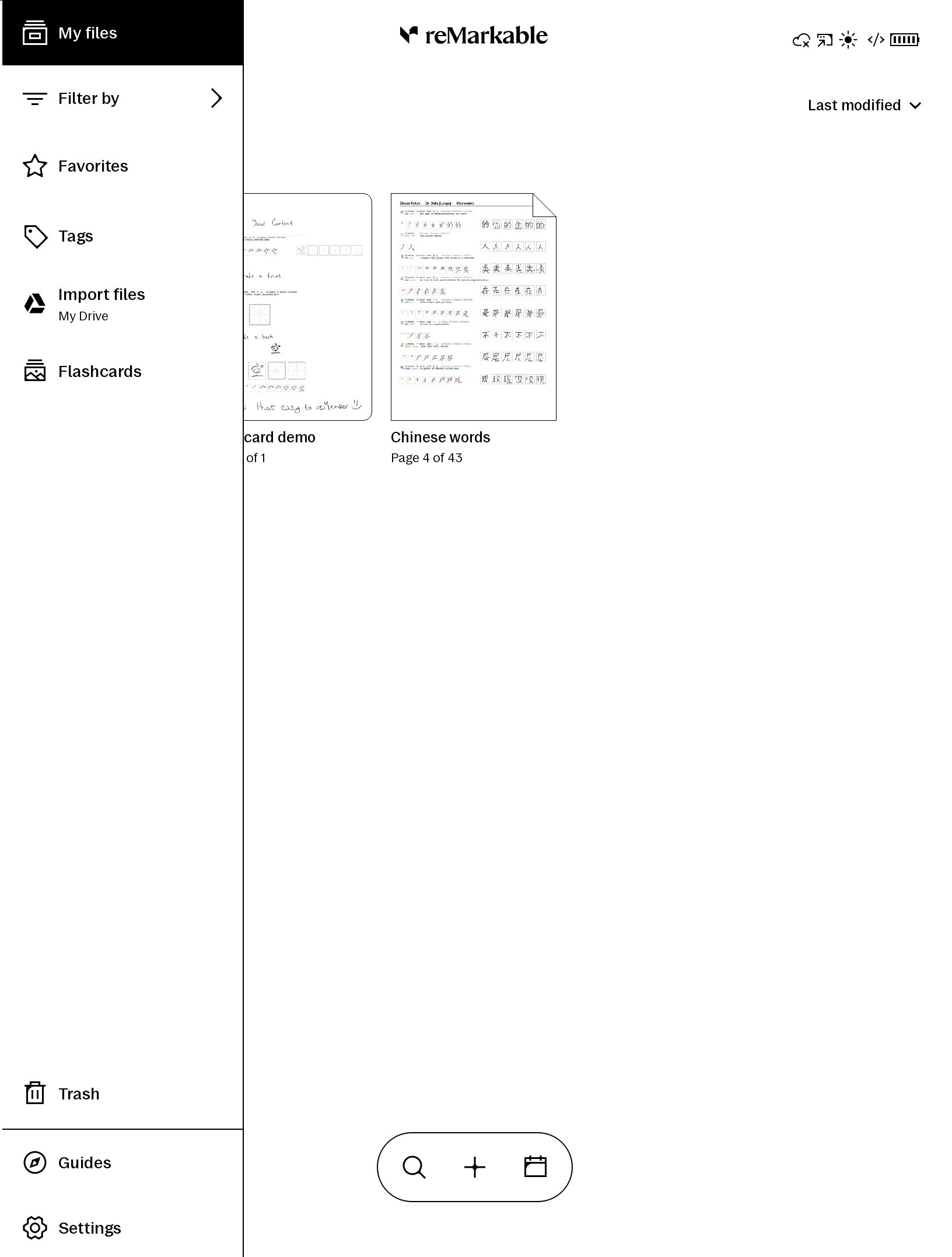
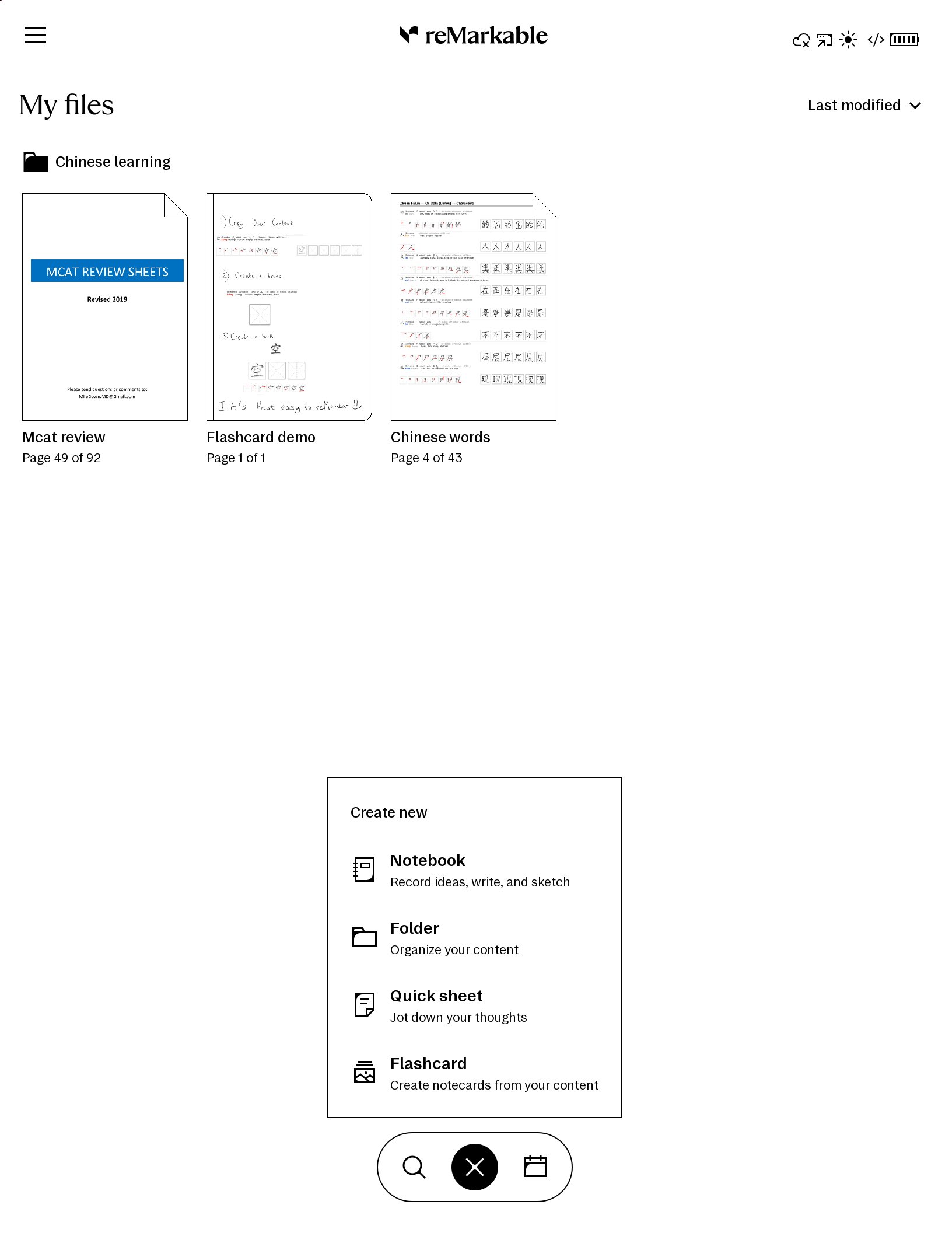
    Any notebook, PDF, EPUB, or other material on the tablet. Start a new flashcard from the toolbar.

  2. 2

    Pick a deck

    Choose an existing Anki deck, or create a new one for that topic.

  3. 3

    Front and Back

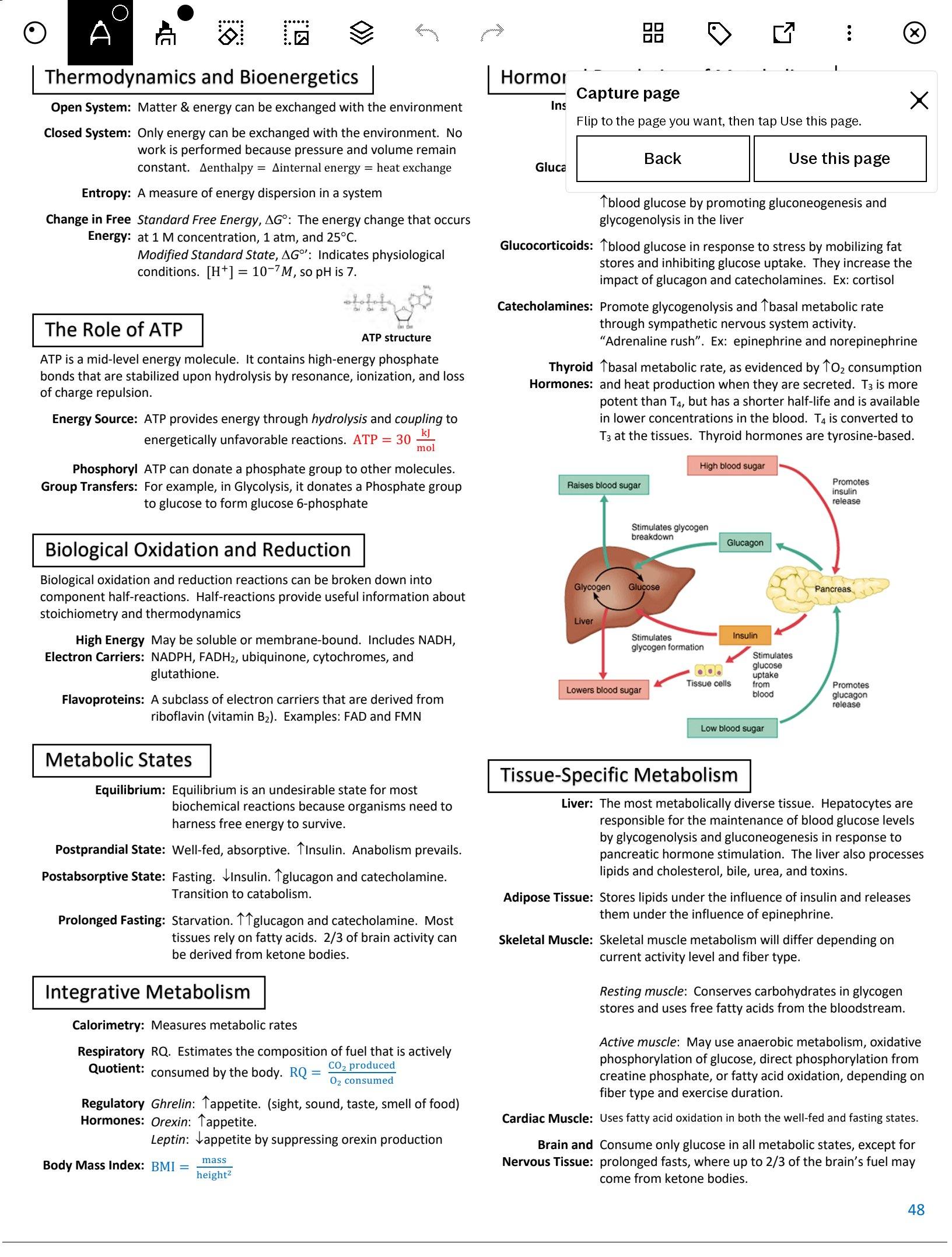
    On firmware 3.28+, use reMarkable’s native capture to select each side. On earlier versions, draw a box around the content. You can also type either side, or pull from another document.

  4. 4

    Review and save

    Check both sides, add more cards from the same reading if you want, then save. They sync to Anki when you’re online.

Roadmap

A public beta is coming soon. Here’s what we’re aiming to ship first, and what follows after.

  1. Soon Free · Beta

    Beta: free study

    The first thing people will get in the beta: two-way AnkiWeb sync, review with the pen, and normal Anki ratings on reMarkable Paper Pro. Studying on the tablet updates Anki on your other devices.

  2. Soon Plus · Beta

    Create cards from any material

    Also planned for the beta window: make your own flashcards from PDFs, notebooks, and other documents. On 3.28+, Front and Back use reMarkable’s native capture tool; you can also type a side when you prefer. Plus also includes an installer, OTA protection, firmware updates when the community supports them, an uninstaller, priority support, and priority feature requests. Plus is free during beta; after that it will cost money.

  3. Next Setup

    Guided installer

    If you want to study on the tablet but don’t want to install a bunch of mods yourself, this is meant for you. It warns you when a wipe is needed, then helps you get your documents back.

  4. Planned Devices

    More tablet models

    Paper Pure, Paper Pro Move, and reMarkable 2 as each one is tested.

  5. Planned AI

    AI drafts from a selection

    Select a section of material and get suggested flashcards you can edit before saving.

  6. Later Library

    Edit decks on the tablet

    Fix wording, replace a bad capture, or remove cards without waiting until you’re at a computer.

Free to study. Plus for cards, free in beta.

Both are coming soon in beta. Study stays free. Plus is free in beta too, so you can try making cards and the installer without paying. The installer exists for people who just want to use the tablet for studying and don’t want to mess with mods. After beta, Plus should be around $10/year. Tell us what you’d pay and get beta updates.

Free version · beta soon

Study

$0

Coming soon in beta. For reviewing the decks you already have. Progress syncs back to Anki everywhere.

  • Two-way AnkiWeb sync. Study here, Anki updates on your other devices
  • Pen writing while you review
  • Normal Anki ratings
  • Works offline after sync
  • Manual setup via the open project
Get beta updates

Want the beta when it opens?

Leave your email for Study and Plus beta updates: installer, OTA protection, card creation, priority support, and feature requests. Plus is free during beta. Afterward, tell us what you’d pay; free study stays free either way.

We’ll only use your email for reMember updates. No spam, unsubscribe anytime. Not affiliated with reMarkable or Anki. See disclaimer.

Proposed Planned for the Plus beta. Not available yet

Getting Plus on your tablet

If you want to use your reMarkable for studying but don’t want to install mods yourself, this is the plan for Plus. An installer walks you through setup. It also helps with OTA protection, updates when the community supports new firmwares, and an uninstaller if you want to take it back off.

  1. 1

    Plug in and start

    Connect your Paper Pro, open the installer, and follow the steps.

  2. 2

    Try Plus free in beta

    No charge during beta. After that, around $10/year for card making, updates, OTA protection, uninstall, and priority support.

  3. 3

    Finish setup

    If it has to wipe the tablet, put your files back, then start studying.

  4. 4

    Update later, or uninstall

    Move to newer firmwares when support is ready, or uninstall if you want the device closer to stock.

Disclaimer

reMember is independent third-party software. It is not made, endorsed, sponsored, or supported by reMarkable AS (“reMarkable”) or by Anki / AnkiWeb. “reMarkable”, “Anki”, and related marks belong to their respective owners.

Installing or using this software requires developer mode and other custom software on your device. That can erase local data, reduce security, cause instability or data loss, and may void or limit warranty or protection-plan coverage under reMarkable’s policies. You are solely responsible for backing up your files and deciding whether to proceed.

Use at your own risk. To the fullest extent permitted by law, the authors and distributors of reMember disclaim all warranties and are not liable for any loss, damage, device failure, data loss, security issue, warranty denial, or other consequence arising from installing, using, or relying on this software.